Route colour
-
I'd like to change the route colour, as all trails are marked in red, and so is my planned route
-
Or suppress the rest of the map, as I can do on the web version
-
@Deborah-Lustig Hi, thank you for your idea! We’ll monitor how often users suggest this and will pass it on to our developers.
-
@Deborah-Lustig Unfortunately, I don’t quite understand. Could you clarify what you mean?
-
I'm upvoting this feature request, which I already suggested some time ago through app feedback. The route is barely visible against all other paths shown on map. Thanks.
-
@ewelina Tazatel pravděpodobně používá importovanou gpx, ta je po otevření červená. No a v zahraničí je většina turistických tras značená červeně, tedy shodně. Tam je pak červená importovaná stopa k nerozeznání.
-
@Fabrizio @Deborah-Lustig Thanks a lot! I’ll share this with our developers.
-
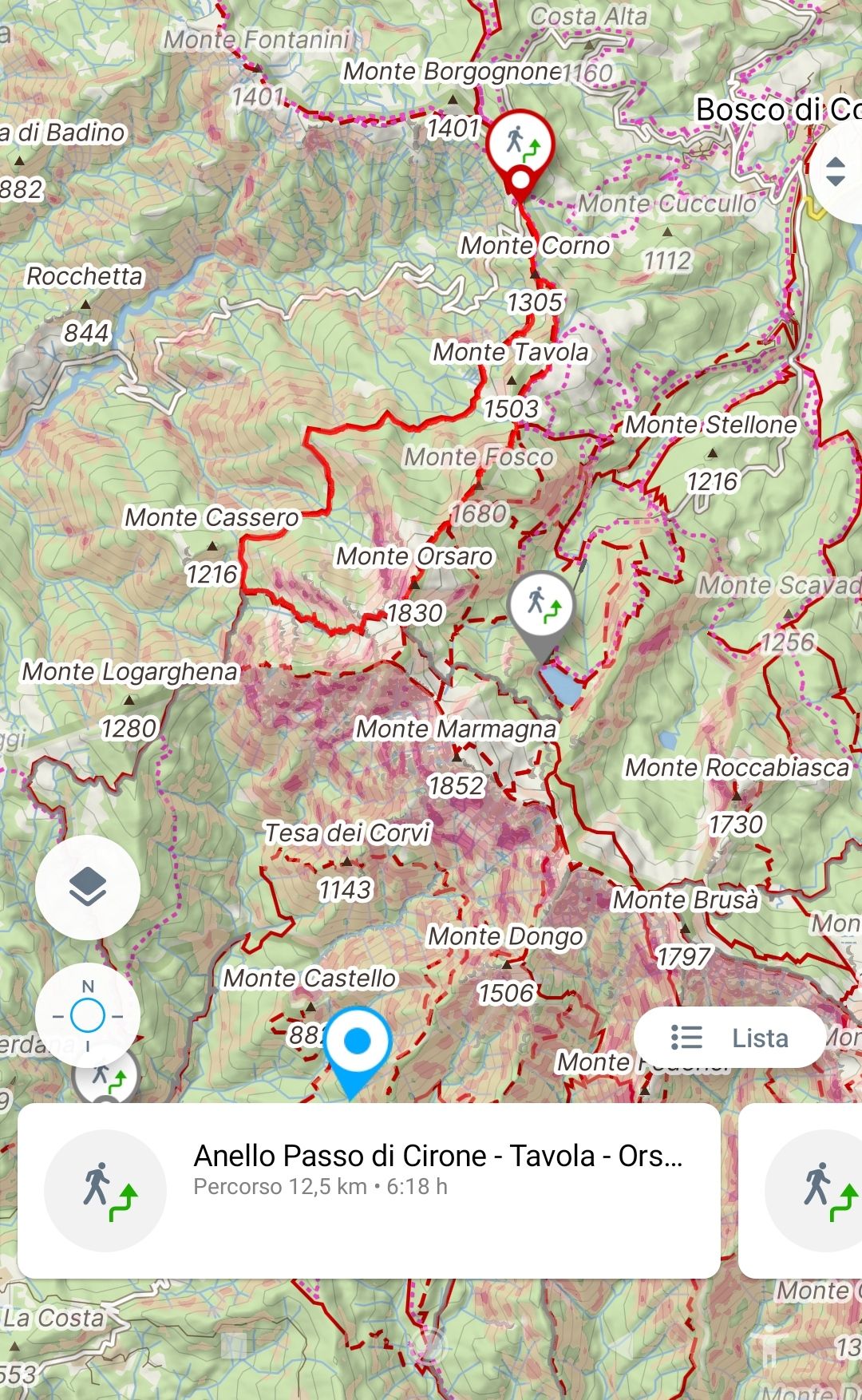
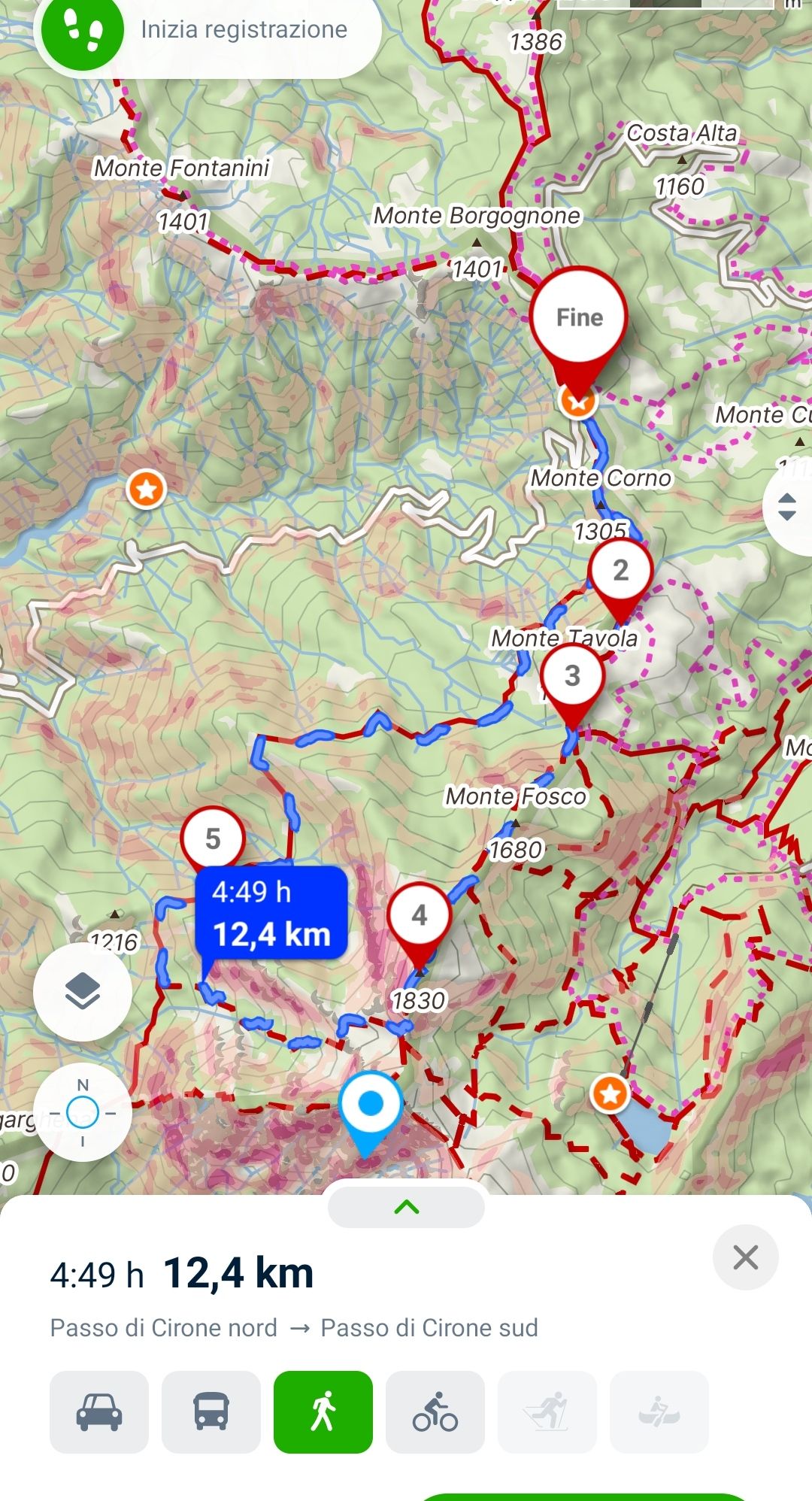
@Jan-Buriánek I'll elaborate on my request, which I think is the same as OP's. In the app, if I select a folder/collection of itineraries and then view them on the map, the itineraries visible when side-scrolling the list are highlighted in red, barely visible compared to the other trails. When a route is opened, it switches to the normal planning view, highlighted in blue and clearly visible.
List view
Planning view
-
Bonjour,
J'insiste sur la possibilité de changer la couleur du tracé GPX qui en rouge est presque illisible sur les fonds de carte. Cela devient pour moi déterminant et conditionne mon abonnement à votre service.
Merci de votre écoute.
Hello! It looks like you're interested in this conversation, but you don't have an account yet.
Getting fed up of having to scroll through the same posts each visit? When you register for an account, you'll always come back to exactly where you were before, and choose to be notified of new replies (either via email, or push notification). You'll also be able to save bookmarks and upvote posts to show your appreciation to other community members.
With your input, this post could be even better 💗
Register Login