Finger Route Planning
-
It's great to see new improvements, but I wanted to point out some minor shortcomings. I've been using finger planning in the Cyclers app for a couple of years now, so I can compare the two solutions.
In mapy.com app when drawing with your finger, the map doesn't move, so we're forced to draw piece by piece. Unfortunately, if we've already drawn a piece and we're drawing another, the previous one changes its layout. If we start to edit the previous one, the next one changes its layout... so unfortunately, we're unable to draw what we want.
In the Cyclers app, what's already been drawn remains, and we can safely draw the next step without worrying about the previous one changing. It's a cool feature, but not useful for me at the moment.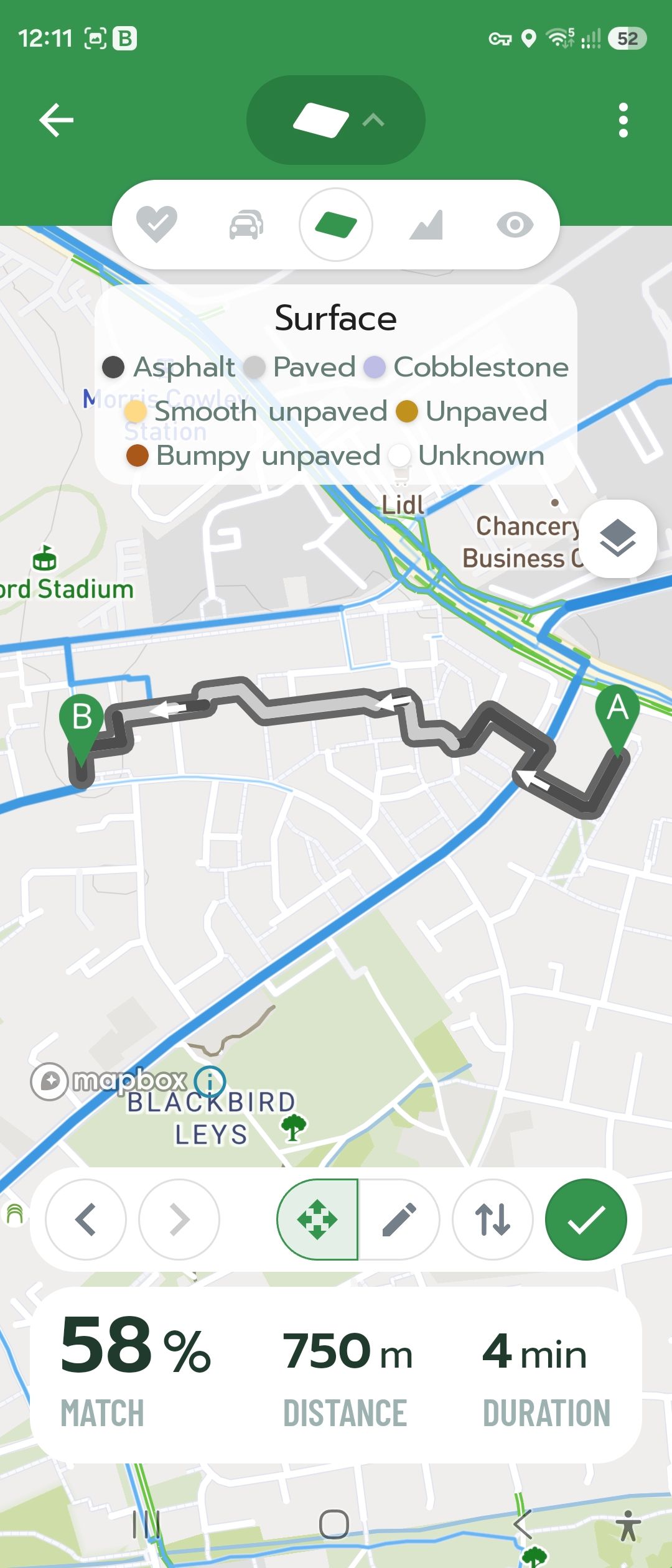
-
@Adam-Stormguard Hello, thank you for your feedback.
Regarding panning the map: yes, while drawing, the map cannot currently be moved using gestures, so you need to make the changes in smaller sections. However, any changes you have already made should remain saved.
If that is not the case, a video showing the issue would be very helpful.
Thank you!
-
Apparently, this is not intended to extend the route, i.e. create additional parts, but to shape an existing route. First, the "entire" route must be planned, i.e. enter the start and final destination. Then, you can draw something with your finger somewhere along the route and the adjacent part of the route will be planned there. Maybe...
-
@Jakub-Faifer Yes, I will send the video

-
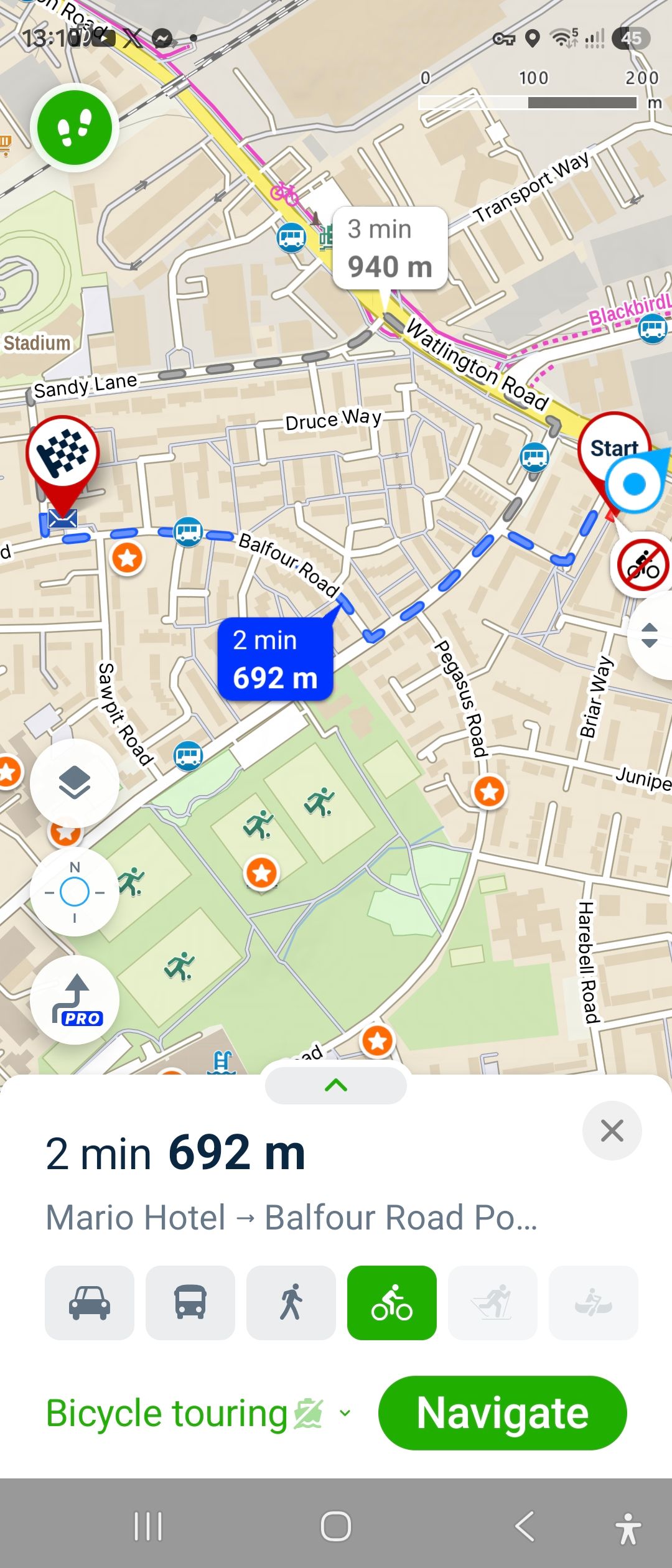
@Jan-Buriánek Yes, this function only serves to improve the route. What I meant was that if we correct part of the route and then correct another section, the previously corrected section doesn't stay the way we've changed it because; the app changes it again the way it wants..
-
@Jakub-Faifer My apologies Jakub, I had cycling set in the route planner, and some sections were marked with a sign that cycling was not recommended/permitted, so after correcting some sections, the app changed the remaining sections accordingly. Interestingly, if I corrected the entire route at once with my finger, the app didn't change anything. Only the sign that cycling is not recommended /permitted remained. If I set it to walking, everything worked as expected. It would be nice if we could choose whether we wanted the app to correct cycling or just warn us with signs, and we could ride as we pleased.
-
@Adam-Stormguard Thank you for clarifying the situation.
-
When I saw the PRO Planner feature I thought they'd finally allow us to draw off-path routes, but no...
Also, it doesn't always seem to change the route according to how you drew it - or plans it a strange way where some stray sections of the road will be included in the route rather than avoided ...
-
@Jakub-Faifer @Matic-K. Yes off-route paths is all we want 🤟
 Many other apps offer this function already.. or at least you could add an option to stop the app ftom correcting finger drawn routes for bicycle and leave only warning signs .. I have to bypass it by using walking function instead 🫣
 -
@Adam-Stormguard Yes, this has already been mentioned several times – support for route planning that includes freehand route is planned.
-
Mě by zajímalo, jak je to s pamatováním trasy upravené ručním kreslením. Když to na mobilu nakreslím a uložím, tak na webu to je stejné.
To ale dříve nebylo možné - zachování naplánované trasy bez změn se tu několikrát probíralo, že to nejde. Teď najednou s ručním kreslením ano?
Trasa se vždy při otevření počítá nově a mění se dle aktuálních podmínek. Jak to bude s trasou upravenou ručně?Očekával bych, že tam budou nějaké "tvarovací body" (jako má Garmin ShapingPoints), ale uživatelsky nejsou vidět...
Jak bude aplikace trasu měnit nebo naopak dodržovat při puštěné navigaci a např. odbočení od trasy, nebo v případě změny uzavírek, tj. v předem ručně nakreslené trase bude v tom místě aktuálně uzavírka?
Já vím, hodně otázek... Prostě mi není jasný princip, co s tím budou algoritmy dělat.
-
@Jan-Buriánek Ano víme jak původní trasa vedla a díky tomu, při rekonstrukci se použije její původní geometrie. Uzavírkám a změnám v routingové síti se bude zase vyhýbat, dle toho, jak je třeba. Fakticky se to nějak zásadně neliší od běžné trasy.
Hello! It looks like you're interested in this conversation, but you don't have an account yet.
Getting fed up of having to scroll through the same posts each visit? When you register for an account, you'll always come back to exactly where you were before, and choose to be notified of new replies (either via email, or push notification). You'll also be able to save bookmarks and upvote posts to show your appreciation to other community members.
With your input, this post could be even better 💗
Register Login